Templates / Themes
You can choose different templates for the entire website or for specific blogs / podcasts. All users can select these templates from the Wagtail admin interface. Individual users can make their own template selections, which are stored in their session.
Built-in Themes
Plain HTML (
plain) — minimal HTML with no CSS frameworkBootstrap 4 (
bootstrap4) — the default theme, uses Bootstrap 4
External Themes
Bootstrap 5 (
bootstrap5) — a Bootstrap 5 theme with dark mode, sharing buttons, and modern layoutVue.js (
vue) — demonstrates how to combine a single-page application frontend with django-cast
Theme Selection Precedence
When a page is rendered, django-cast resolves the active theme using the following precedence chain (highest wins):
Code override —
request.cast_template_base_dir, an attribute set directly on the request object by internal code (e.g. the styleguide preview).Query parameter —
?theme=<slug>or?template_base_dir=<slug>. Provides a temporary preview for the current request only. The value is validated against the available theme choices. Does not persist to the session. Used for theme comparison, styleguide, and development.Session —
request.session["template_base_dir"], set when a user selects a theme via the/cast/select-theme/endpoint or the theme API. This is the canonical source of truth for the active theme: after a full page reload without a?themequery parameter, the rendered theme always matches the session value.Blog-level setting — the
template_base_dirfield on the Blog page. Acts as a default for all users viewing that blog who have not chosen a theme in their session.Site-level setting — the
TemplateBaseDirectoryWagtail site setting. The global fallback when none of the above are set. Defaults tobootstrap4.
See src/cast/models/theme.py:get_template_base_dir() for the
implementation.
How to Change the Theme for the Whole Site
This setting can be found at Settings > Template base directory:
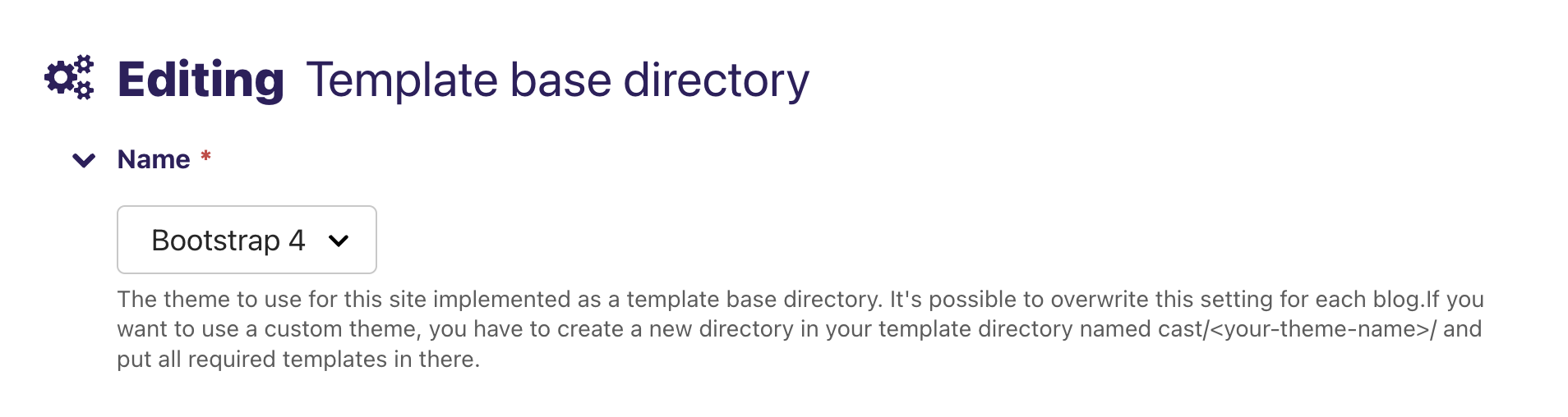
There’s a context processor that adds the current template base directory to the context. For convenience it also adds the theme’s base template as a variable so non-Wagtail templates can extend it.
How to Change the Theme for a Single Blog
This setting can be found at Pages > ... > Blog:

How to Change the Theme for an Individual User
The theme selection for an individual user is stored in request.session
and overrides blog and site level theme settings.
You can also override the theme per request via query parameters:
?theme=<slug>?template_base_dir=<slug>
These overrides are validated against the available theme choices and do not persist to the session.
JSON API
You can get a list of selectable themes via the cast:api:theme-list
endpoint. This endpoint will also show the currently selected theme.
If you want to update the selected theme, you can do so via
cast:api:theme-update.
Hypermedia
The hypermedia endpoints for getting / setting the theme are:
cast:theme-list— list of all themes (the currently selected theme is marked)cast:theme-update— update the theme for the current user
Theme Development Guide
This section explains how to create a custom theme for django-cast.
Theme Directory Structure
A theme is a directory inside your project’s template path at
cast/<theme_name>/. The directory must contain a set of required template
files for django-cast to discover it as a valid theme.
your_project/
└── templates/
    └── cast/
        └── my_theme/
            ├── base.html
            ├── blog_list_of_posts.html
            ├── post.html
            ├── post_body.html
            ├── episode.html
            ├── pagination.html
            ├── 400.html
            ├── 403.html
            ├── 403_csrf.html
            ├── 404.html
            └── 500.html
Required Templates
Templates are split into two tiers: strictly required (must exist for
the theme to be discovered) and soft-required (produce a
DeprecationWarning when missing but will become strictly required in a
future release). The requirement change is tracked in the
project backlog.
Strictly required — the theme will not appear in the theme chooser without these:
blog_list_of_posts.htmlThe blog index page showing a paginated list of posts.
post.htmlThe blog post detail page.
post_body.htmlA partial template rendering the body of a single post. Included by both
post.html(detail view) andblog_list_of_posts.html(list view).episode.htmlThe podcast episode detail page. Extends
post.htmland adds audio-specific meta tags.
Soft-required — missing these triggers a deprecation warning:
base.htmlThe root HTML template. All other full-page templates extend this.
pagination.htmlPagination controls, included by
blog_list_of_posts.html.400.html,403.html,403_csrf.html,404.html,500.htmlError page templates.
Optional Templates
These templates are not required for theme discovery but provide additional functionality:
gallery.htmlDefault gallery layout. Renders image thumbnails with modal support.
gallery_htmx.htmlHTMX-powered gallery layout. Loads modal content from the server. If you don’t need this layout, copy your
gallery.htmltogallery_htmx.html.gallery_modal.htmlServer-rendered modal content for the HTMX gallery. If missing, django-cast falls back to
cast/plain/gallery_modal.html.transcript.htmlEpisode transcript display page. If missing, django-cast falls back to
cast/plain/transcript.html.feed_detail.htmlRSS/Atom feed information page with subscribe links. If missing, django-cast falls back to
cast/plain/feed_detail.html.select_theme.htmlTheme selector UI (typically a dropdown in the navigation bar). Not required for theme discovery, but both built-in themes include it. (Earlier versions of this documentation referred to the file as
select_template.html; the actual file name isselect_theme.html.)follow_links.htmlSocial media and feed subscription links for the navigation.
Template Inheritance Chain
Both built-in themes follow the same inheritance pattern:
base.html                  ← Root template (full HTML document)
├── blog_list_of_posts.html  ← Blog index page
│   ├── pagination.html       (included partial)
│   └── post_body.html        (included partial)
├── post.html               ← Post detail page
│   ├── episode.html          ← Extends post.html (podcast episode)
│   └── post_body.html        (included partial)
├── transcript.html         ← Episode transcript page
├── feed_detail.html        ← Feed subscription page
└── 400/403/404/500.html    ← Error pages
post_body.html is a partial (no {% extends %} tag). It is included
by both post.html and blog_list_of_posts.html using
{% include "./post_body.html" %}. The render_detail context variable
controls whether the full post body or just the overview is shown.
episode.html extends post.html and overrides the social_meta block
to add Twitter Player Card and og:audio meta tags when the episode has an
audio file.
Template Blocks
The blocks available depend on the theme. The two built-in themes define different block names for the main content area.
bootstrap4 blocks (defined in base.html):
titlePage
<title>tag content.meta<meta>tags inside<head>. Contains charset, viewport, and description by default.cssStylesheet
<link>tags. Loads Bootstrap 4 CSS by default.headerscriptScripts loaded in
<head>(before body).additionalheadersAdditional
<head>content.navigationThe navigation bar. Includes theme selector and follow links.
messagesDjango messages framework display area.
contentThe main page content area inside a
<div class="container">.modalContainer for modal dialogs (after main content, before scripts).
javascriptScripts loaded at the end of
<body>. Includes jQuery, Bootstrap JS, and HTMX by default.template_scriptAdditional scripts inside the
javascriptblock.
plain blocks (defined in base.html):
meta<meta>tags (wrapsrobots,title,description).robotsRobots meta tag.
titlePage
<title>tag.descriptionMeta description tag.
cssStylesheet
<link>tags.headerPage header area.
navigationNavigation area.
mainThe main page content area (equivalent to
contentin bootstrap4).footerPage footer area.
javascriptScripts loaded at the end of
<body>. Includes HTMX by default.
post.html adds (both themes):
social_metaOpen Graph and Twitter Card meta tags. Nested inside the
metablock. Override this block inepisode.htmlto add audio-specific tags.
Context Variables Available to Templates
These context variables are set by django-cast and available in theme templates:
All pages:
blogThe Blog or Podcast page object.
root_nav_linksList of
(url, text)tuples for the site navigation.has_selectable_themesBoolean indicating whether multiple themes are available.
template_base_dir_choicesList of
(slug, name)tuples for the theme selector.follow_linksSocial media and subscription links configured on the blog.
Blog index (``blog_list_of_posts.html``):
pageThe blog index page object.
postsA paginated queryset of posts.
filtersetThe search/filter form (django-filter
FilterSet).page.search_suggestions_api_urlBlog-scoped JSON endpoint for optional title-prefix destination suggestions. Themes may ignore it and keep ordinary GET form submission.
canonical_urlCanonical URL for the current page.
is_paginated,has_previous,has_next,page_number, etc.Pagination context variables.
podlove_load_modePodlove player loading strategy (
"click"on list pages).
Post detail (``post.html``):
pageThe post page object.
comments_are_enabledBoolean indicating whether comments are enabled for this post.
blog_urlURL back to the blog index.
social_cover_image_urlAbsolute URL to the 1200x630 social preview image.
social_cover_image_width,social_cover_image_heightDimensions of the social cover image.
cover_alt_textAlt text for the cover image.
absolute_page_urlFull absolute URL to the post.
updated_timestampLast-published timestamp for Open Graph.
Post body partial (``post_body.html``):
render_detailTrueon detail pages (show full body),Falseon list pages (show overview only).render_for_feedTruewhen rendering for RSS feed output.podlove_load_modePodlove player loading strategy.
episode_contributorsVisible, ordered episode contributor assignments for detail renders. Custom themes that override episode body templates should render these assignments when present, usually by including
cast/contributors.htmloutside feed renders. Use this filtered value rather thanepisode.contributor_assignmentsso globally hidden contributors remain hidden.
Episode detail (``episode.html``):
episodeThe episode page object (also available as
page).player_urlAbsolute URL to the Twitter Player view for this episode.
Data Attributes for JavaScript Components
If your theme uses django-cast’s JavaScript components, certain data attributes are expected on HTML elements. See Web Components for the full specification.
HTMX CSRF token — the bootstrap4 and bootstrap5 themes set a global
HTMX header on the <body> tag:
<body data-hx-headers='{"X-CSRFToken": "{{ csrf_token }}"}'>
Pagination target — pagination links target a container with
id="paging-area". Ensure your theme wraps the paginated content area
with this ID.
Gallery web components — if using the <image-gallery-bs4> web
component, gallery thumbnails need data-modal-*, data-prev, and
data-next attributes. See <image-gallery-bs4> for details.
Podlove player — the <podlove-player> web component requires
data-url, data-embed, and data-config attributes. See
<podlove-player> for details. Missing data-embed values fail
closed instead of loading a third-party fallback script.
Theme Discovery
django-cast discovers themes by scanning the template directories of all
configured Django template loaders that implement get_dirs()
(FilesystemLoader, CachedLoader, AppDirectoriesLoader). It
looks for directories matching the pattern **/cast/**/<template_name>
and checks that each candidate contains all strictly required templates.
If your template loader does not implement get_dirs(), register your
theme manually in settings.py:
CAST_CUSTOM_THEMES = [
    ("my_theme", "My Custom Theme"),
]
Theme choices are cached for the lifetime of the worker process. After adding or removing a theme, restart the Django process for changes to take effect.
Packaging a Theme as a Django App
External themes (like cast-bootstrap5) are packaged as standalone Django apps. The typical structure is:
cast-my-theme/
├── pyproject.toml
└── cast_my_theme/
    ├── __init__.py
    └── templates/
        └── cast/
            └── my_theme/
                ├── base.html
                ├── blog_list_of_posts.html
                ├── post.html
                ├── post_body.html
                ├── episode.html
                ├── pagination.html
                ├── gallery.html
                ├── gallery_htmx.html
                └── ...
To use the theme:
Install the package (e.g.
pip install cast-my-theme).Add
"cast_my_theme"toINSTALLED_APPS.Select the theme in Wagtail admin or via the theme API.
No CAST_CUSTOM_THEMES entry is needed — Django’s built-in template
loaders (AppDirectoriesLoader, FilesystemLoader) all implement
get_dirs() and support automatic theme discovery.
Galleries
Galleries can have different layouts. Currently there are two layouts:
default— uses thecast/<theme>/gallery.htmltemplatehtmx— uses thecast/<theme>/gallery_htmx.htmltemplate
If you don’t want to implement the HTMX layout, you can copy your
gallery.html template to gallery_htmx.html.
An additional template cast/custom/audio.html can be overridden to
customize the audio player rendering.
Error Views
If you want to use your own error views, create templates for each error code in your theme’s directory:
cast/<theme>/400.htmlcast/<theme>/403.htmlcast/<theme>/403_csrf.htmlcast/<theme>/404.htmlcast/<theme>/500.html
Since the error views need to know which theme to use, override the default error views in your project’s root URL-conf:
from cast.views import defaults as default_views_cast

handler400 = default_views_cast.bad_request
handler403 = default_views_cast.permission_denied
handler404 = default_views_cast.page_not_found
handler500 = default_views_cast.server_error
Setting the view for the 403 CSRF error is a special case. Specify the view in your project’s settings:
CSRF_FAILURE_VIEW = "cast.views.defaults.csrf_failure"